UIKit
Map
All SDK distributions include a standard set of UI elements for map control, which you can add to the hierarchy and use to manage map parameters.
The process of creating and adding Map is described in detail in the section Creating a Map.
All the elements listed below are conveniently combined in IMapUIControlsFactory and IRoadEventCardViewFactory.
The standard set includes:
-
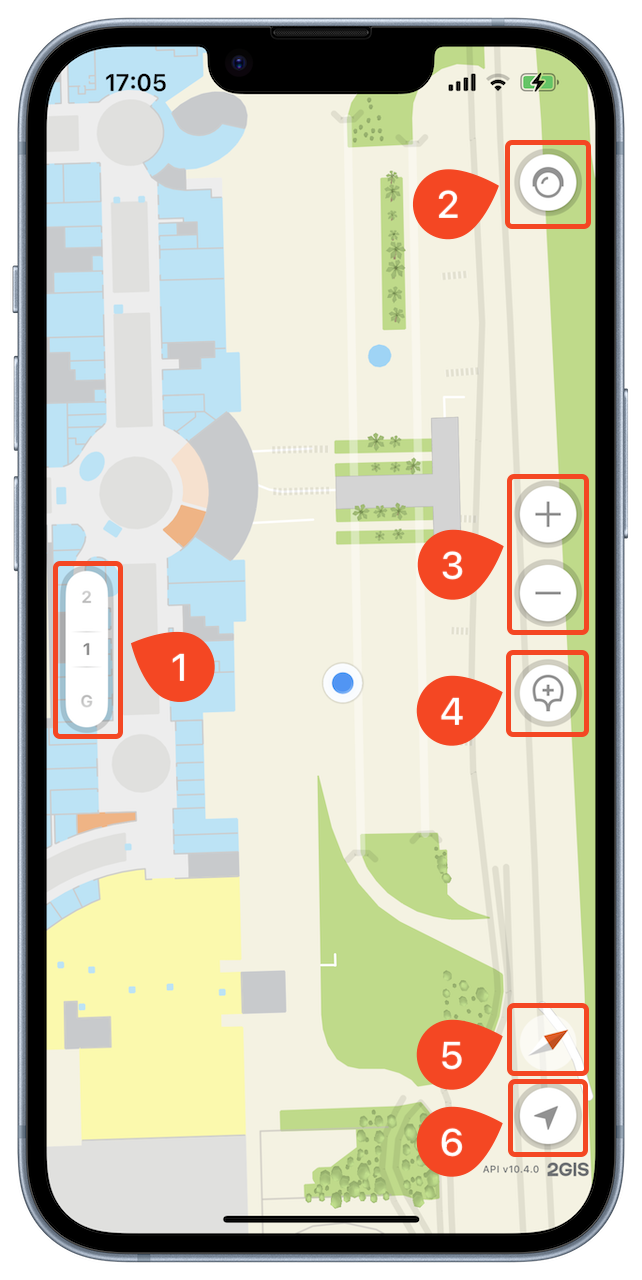
IndoorUIControl to switch floors.
-
TrafficUIControl to manage the visibility of traffic jams on the map.
-
ZoomUIControl to scale the map (zoom in and out).
-
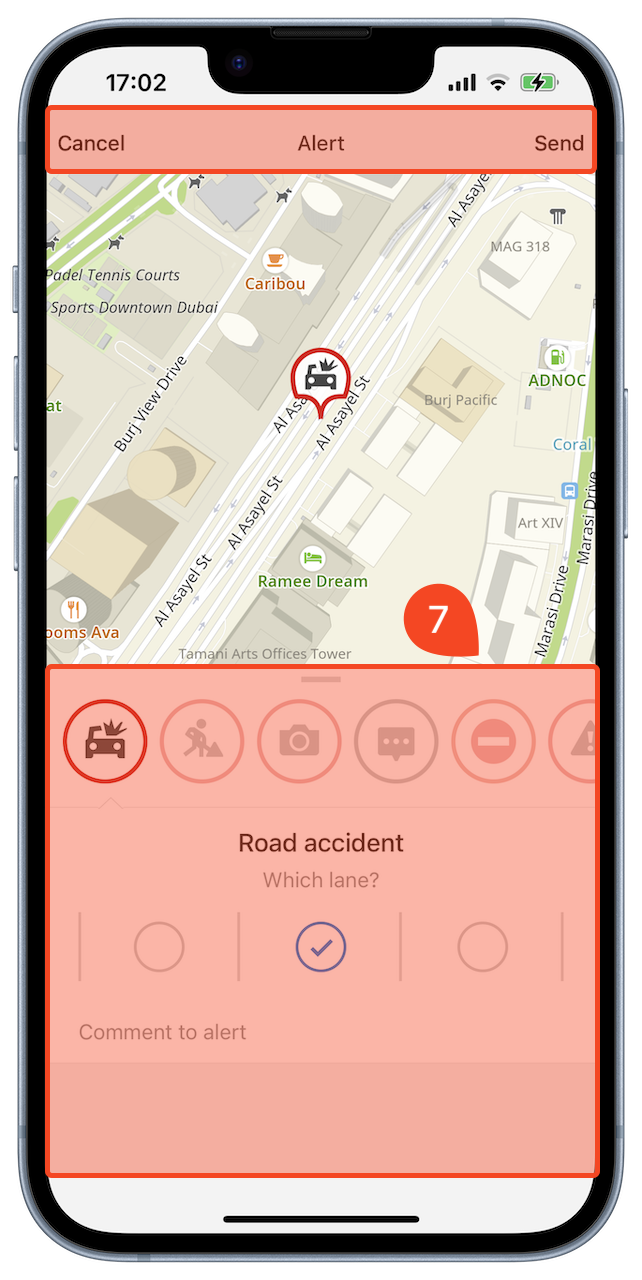
CreateRoadEventControl to add a road event.
-
CompassControl to display the current map rotation angle relative to the north.
-
CurrentLocationControl to fly to the current user location.
-
CreateRoadEventView to describe a new road event.
-
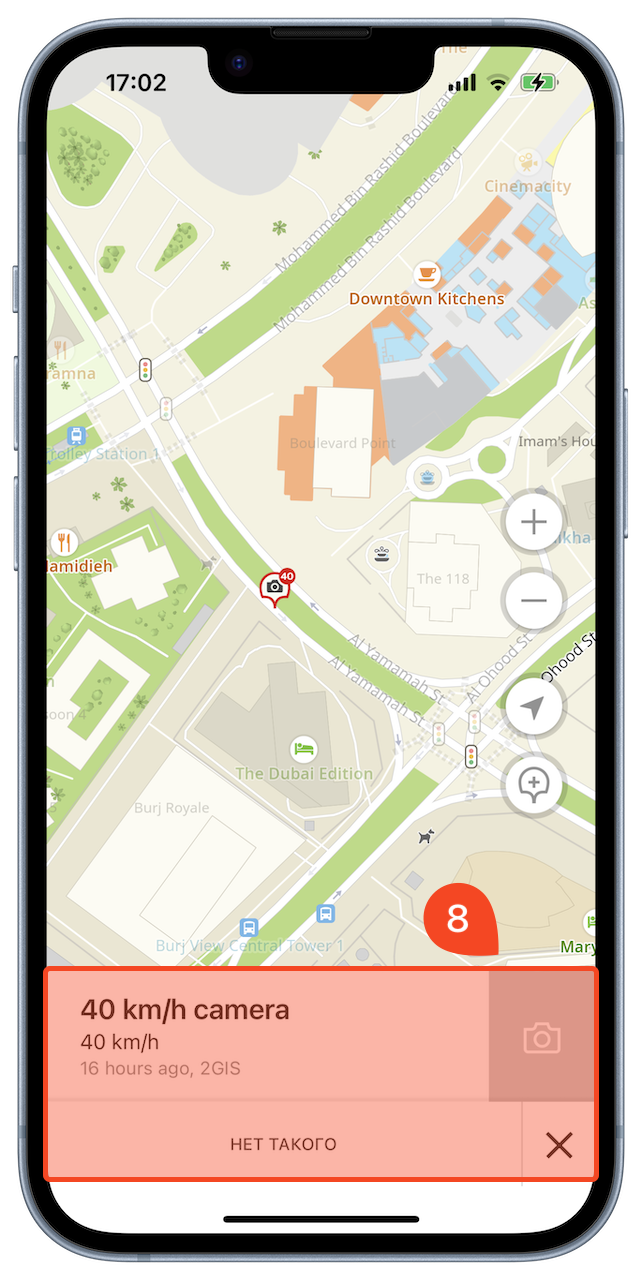
RoadEventCardView to view road event information.
Navigator
The full SDK distribution includes a set of UI elements for displaying and managing navigation. All elements are divided into INavigationMapUIControlsFactory and INavigationUIControlsFactory. The method of use and addition is described in the section Turn-by-turn mode.
The set of navigation UI elements consists of:
-
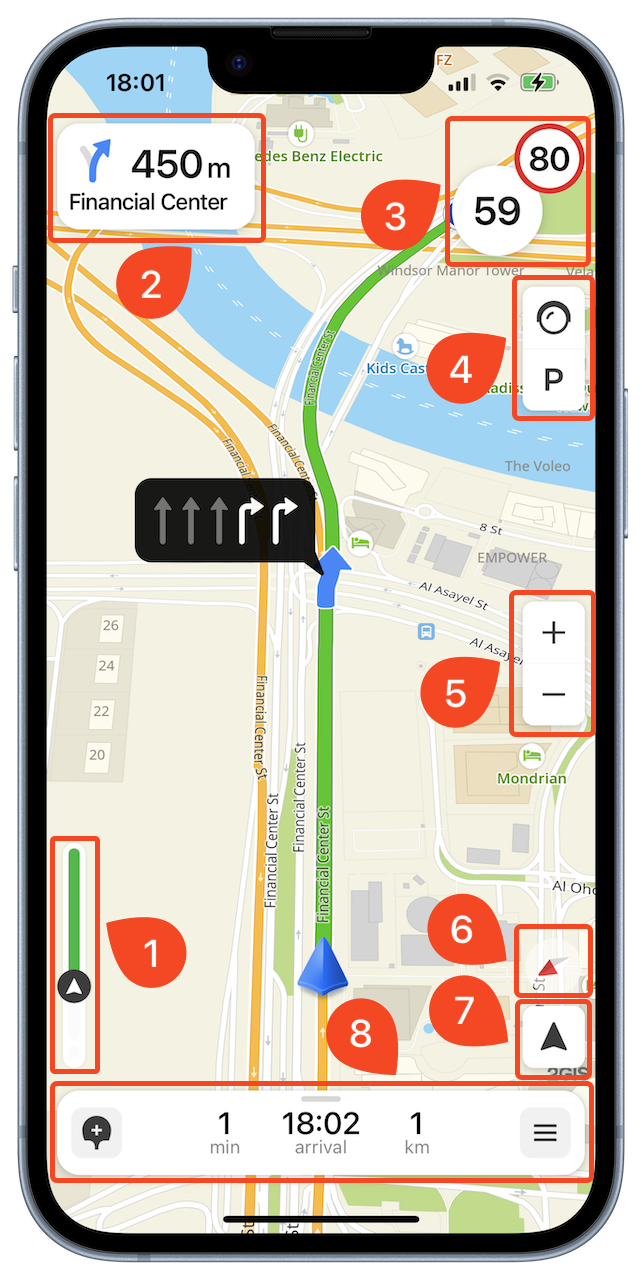
ThermometerUIControl to display the traffic jam level on route.
-
NextManeuverUIControl to display information about the next maneuver.
-
SpeedUIControl to display the current speed and the speed limit.
-
TrafficAndParkingMapControl to manage the visibility of traffic jams and parking lots on the map.
-
ZoomControl to scale the map (zoom in and out).
-
CompassControl to display the current map rotation angle relative to the north.
-
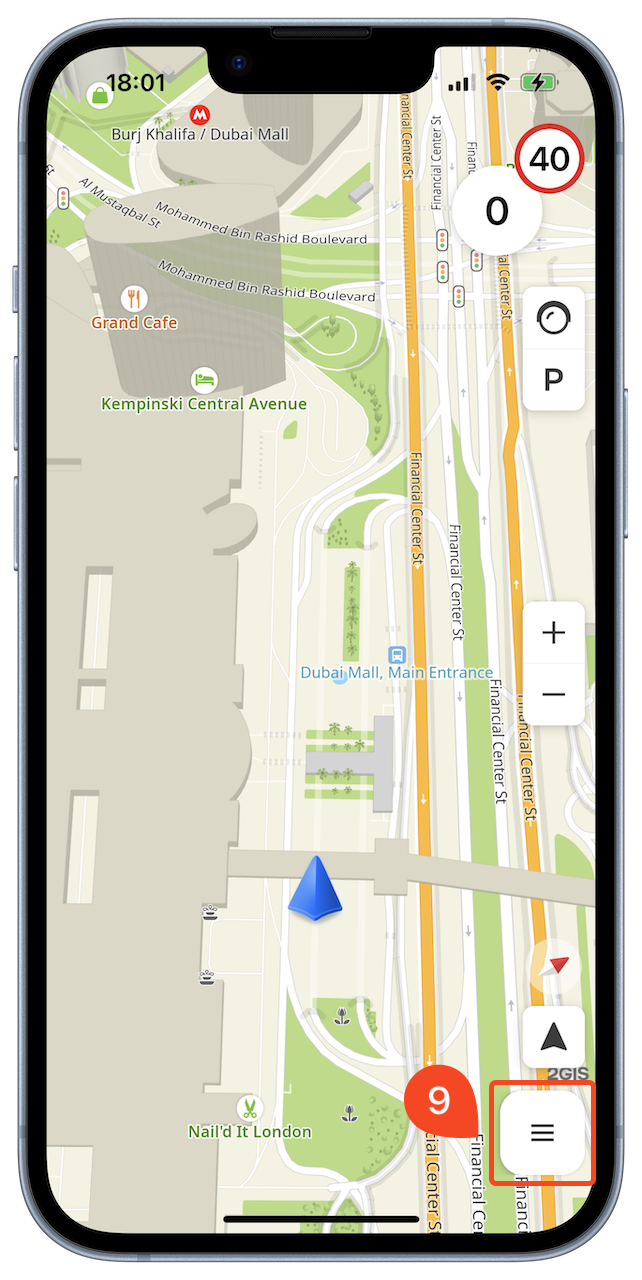
NavigationFollowingControl to manage the following of the location marker.
-
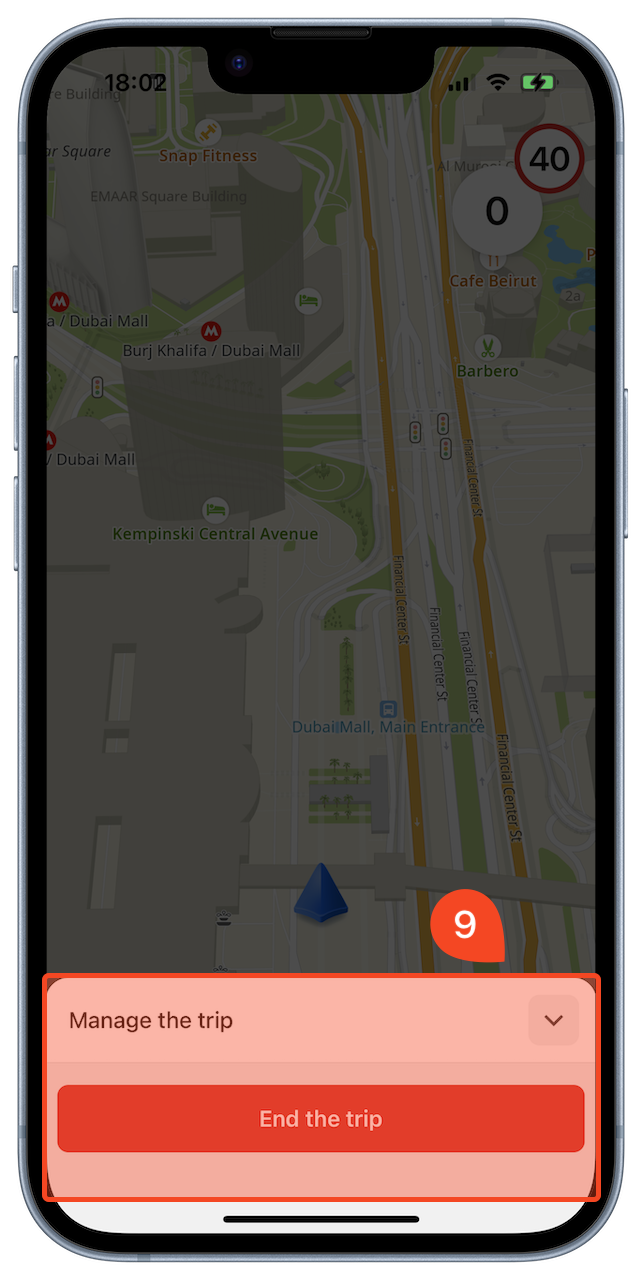
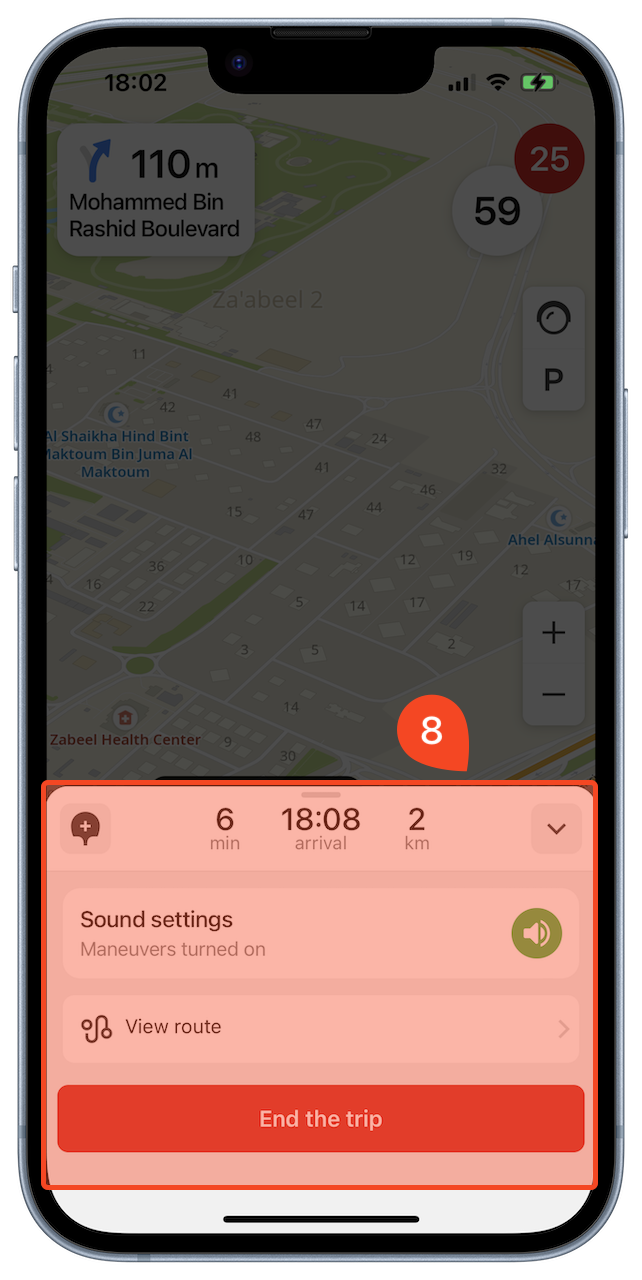
RemainingRouteInfoUIControl to display information in the Turn-by-turn mode.
-
RemainingRouteInfoUIControl to display information in the Free-drive mode.
-
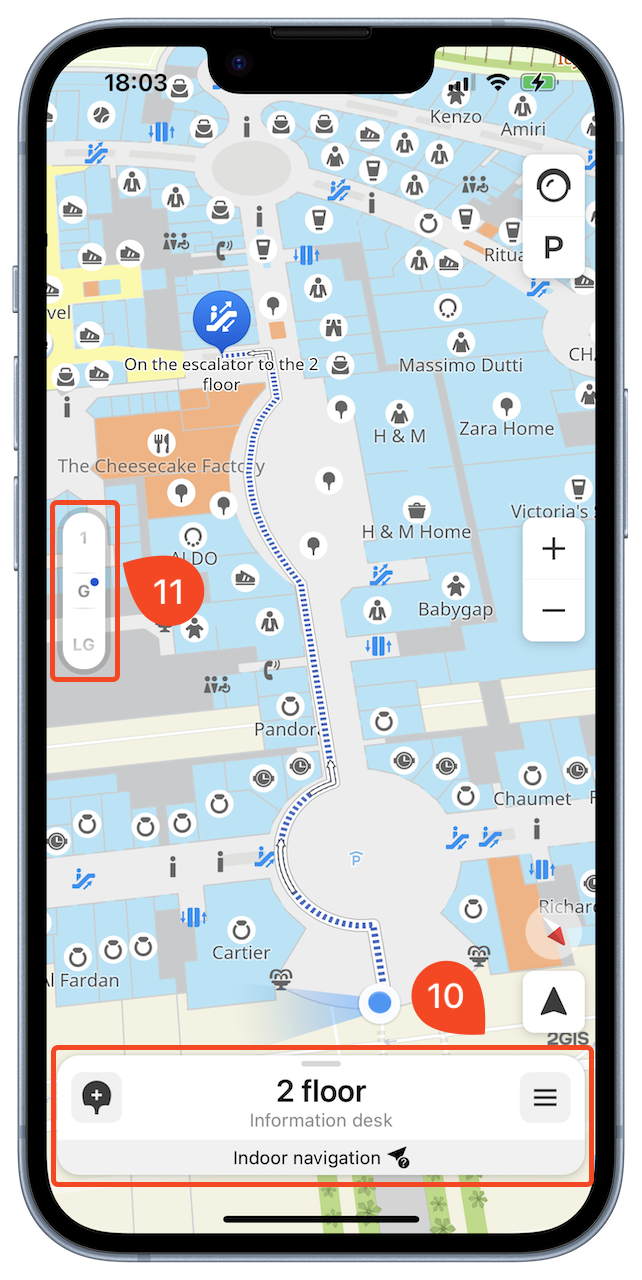
RemainingRouteInfoUIControl to display information in the indoor navigation mode.
-
IndoorControl to highlight floors that are passed on route.