Directories
The documentation provides a description of the interface in Russian.
Directories are groups of features that contain additional reference information about agents or tasks.
For example, you can create a Transport type directory with the Car, Bicycle, and On foot features and add it as an attribute to the agent template. When creating an agent from this template, you can select the type of vehicle the agent can drive in the corresponding field using the values from the directory.
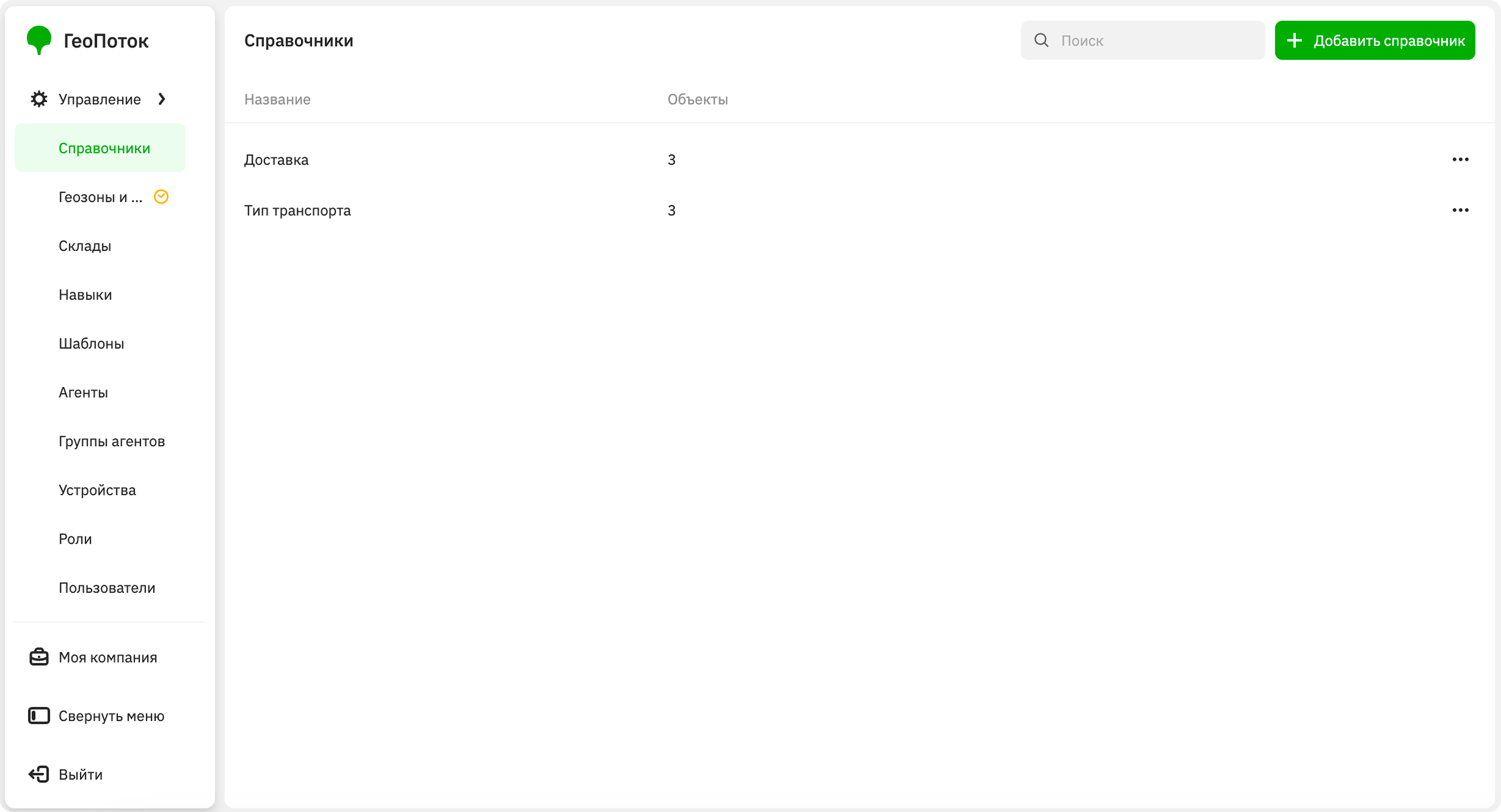
With the Main administrator and Company administrator roles, you can work with directories on the Management → Directories tab:
With the Dispatcher and Agent group manager roles, you can only view the list of directories and information about them.
Creating a directory
-
Go to the Management → Directories tab.
-
Click Add directory.
-
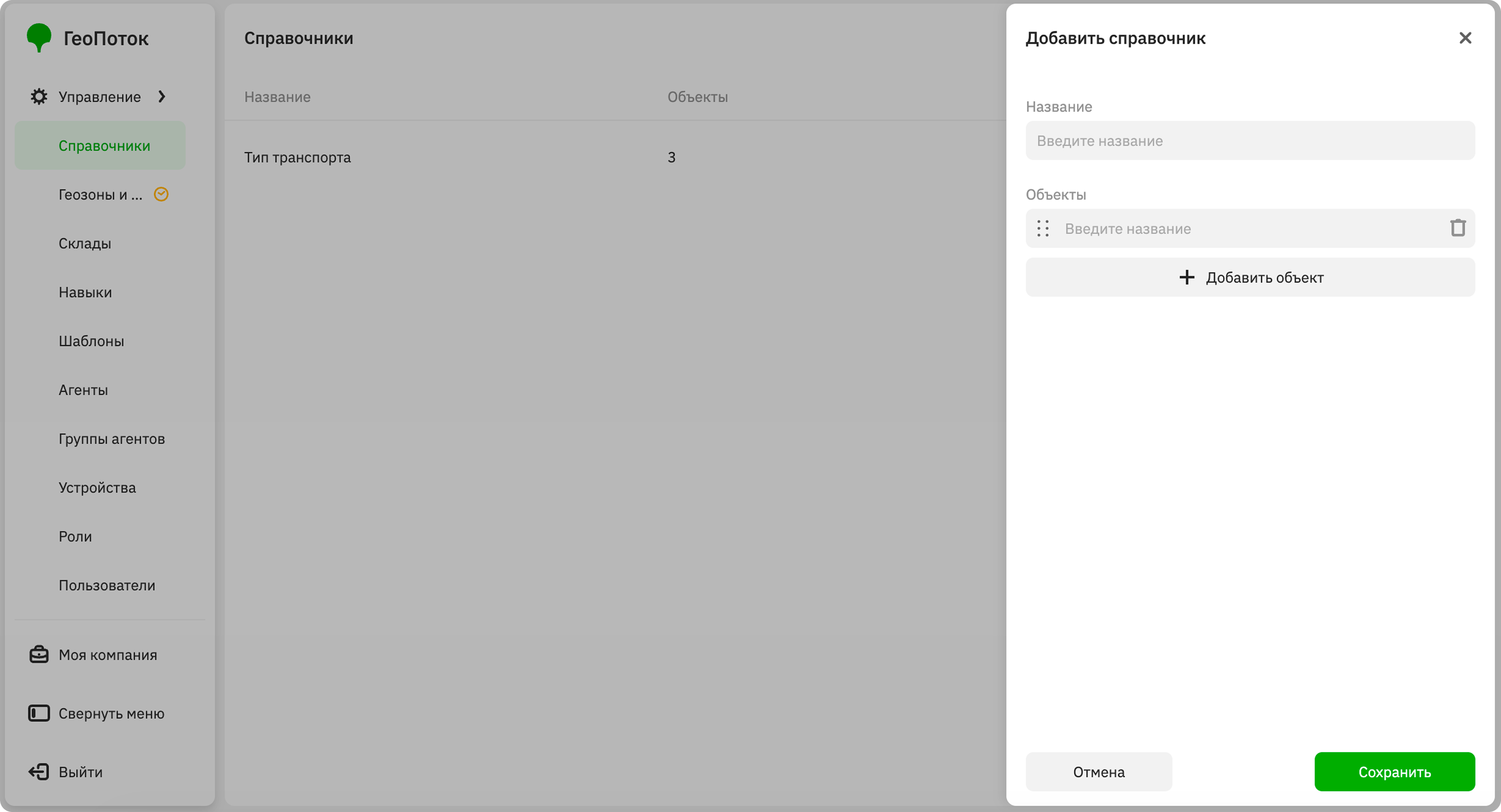
Specify the directory parameters:
- Name (mandatory parameter): directory name.
- Objects: enter the names of directory objects.
To add an object, click Add object. To delete an object, click
 icon next to it. To change the order of objects, hold
  icon next to the object and drag it.
 -
Click Save.
When creating an agent template or task template, you can add an attribute with the Directory data type. When creating an agent or task from this template, you can select the values from the directory in the corresponding field.
Editing a directory
You can change the name of the directory and its objects.
- Go to the Management → Directories tab.
- In the directory row, click
 icon and select Edit.
 - Apply changes to the directory.
- Click Save.
Deleting a directory
A directory will be removed from all templates to which it was added.
- Go to the Management → Directories tab.
- In the directory row, click icon and select Delete.
- Confirm the deletion.